I recently ran a small experiment for a client who wanted to know whether handing out a £5 voucher on Shopify actually drove incremental revenue — not just shifted purchase timing. The ask was simple: prove the voucher delivers more revenue than it costs, and do it quickly with tools a typical SME already has. I used two straightforward cohort tests that you can set up in a day: a Purchase Cohort test and a Reactivation Cohort test. Below I walk through why each matters, how I implemented them on Shopify, what to measure, and how to interpret the results.
Why two cohort tests (and what “incremental” really means)
Lots of marketers equate voucher-driven sales with incremental revenue, but that’s not always true. A voucher can:
- Drive new or previously inactive customers to buy — true incremental revenue.
- Pull forward purchases that would have happened anyway — not incremental, just cannibalisation.
- Increase basket value enough to cover the discount — net incremental revenue after voucher cost.
The two cohort tests target those different outcomes:
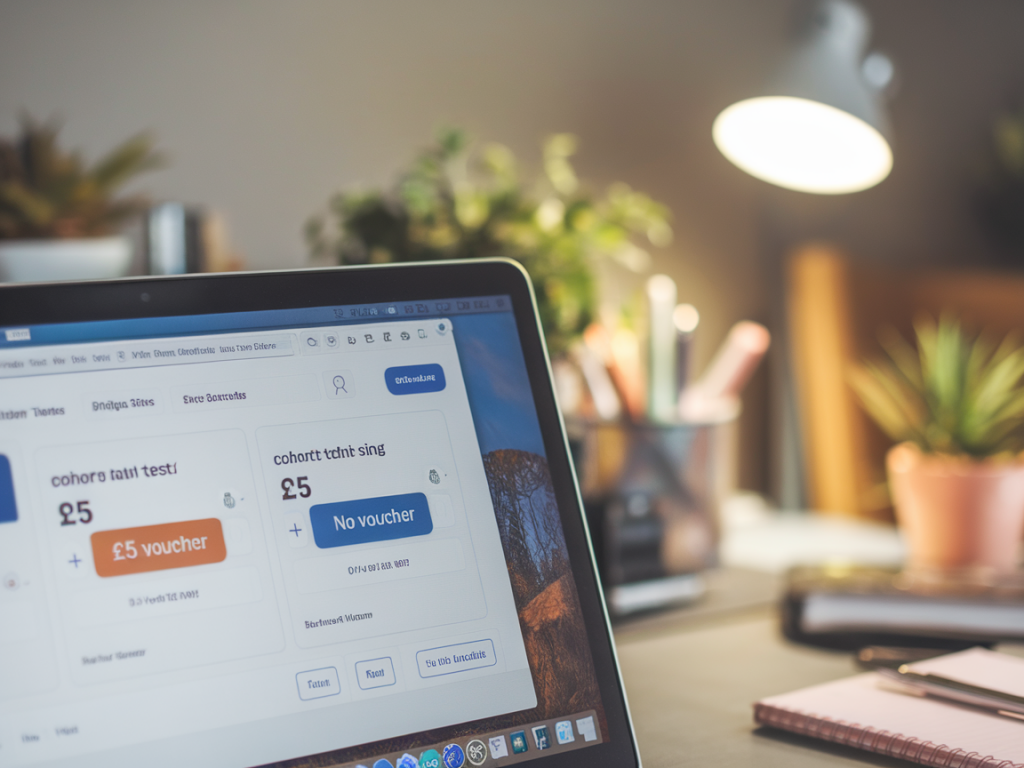
- Purchase Cohort measures whether customers who received and used the voucher spend more (and more often) than a comparable control group who didn’t receive it.
- Reactivation Cohort focuses on lapsed customers — does a £5 voucher re-activate people who haven’t bought in X months, and is that activation profitable long-term?
Test 1 — Purchase Cohort (simple split test at customer level)
This is the fastest way to estimate immediate incremental revenue. I like this for offers promoted sitewide (banner, email, pop-up) where you can split your audience.
What you need
- A way to generate either unique or segmented discount codes in Shopify (Shopify Discount Codes or an app like Better Coupon & Discount).
- Ability to split audiences — for email sends use two equal lists, for onsite use a cookie-based split via a tag manager or an app like Seguno, Klaviyo, or OptiMonk.
- Tracking in Shopify orders: a customer tag, discount code field, or order note that identifies test/control group.
How I set it up
- I created two discount codes: VOUCHER_TEST and VOUCHER_CONTROL. VOUCHER_CONTROL was not circulated — it was purely to mark the control group later in reports. (Alternatively, generate unique codes for the test group only and tag users in the control list.)
- I split the email list randomly into 50/50 and sent the same creative with the £5 voucher to the test group only.
- Every order with the test voucher was captured automatically in Shopify because the discount code appeared on the order. For the control group, orders were tagged via the email recipient list in our ESP (Klaviyo) and exported to Shopify as a CSV with customer IDs and a “control” tag before the test.
- Tracking window: 14 days post-send for immediate response; I also tracked 90 days for repeat behaviour.
Metrics to measure
- Conversion rate (test vs control)
- Average order value (AOV)
- Orders per customer in the tracking window
- Revenue per customer (RPC) — critical for incremental measurement
- Voucher redemption rate
- Net incremental revenue per voucher = (RPC_test − RPC_control) − voucher_cost
Example table I used to summarise results:
| Test (voucher) | Control | Lift | |
|---|---|---|---|
| Customers | 5,000 | 5,000 | — |
| Conversion rate | 6.0% | 4.0% | +50% |
| AOV | £46 | £44 | +4.5% |
| Revenue per customer | £2.76 | £1.76 | +£1.00 |
| Voucher cost per customer (if redeemed) | £0.30 | £0.00 | — |
| Net incremental revenue per customer | £0.70 | — | |
How to interpret
- If RPC_test − RPC_control is greater than the average voucher cost per recipient, you have a positive short-term ROI.
- Watch out for selection bias: make sure split was random, and sample sizes are large enough for statistical significance. I typically run a quick sample size calc: for a baseline conversion of 4% and expected lift to 5%, with 80% power and alpha 0.05, you need several thousand recipients per group.
Test 2 — Reactivation Cohort (lapsed customers)
Reactivation is where vouchers often shine — but it’s also where short-term attribution traps are common. For this cohort you target customers who haven’t bought in X months (I often use 6–12 months). The goal here is to prove you won’t just get a one-off purchase; you want to see if reactivated customers have positive LTV after the cost of the voucher.
How I set it up
- I exported a list of customers with last_order_date between 6–12 months ago and split them into test/control. I applied a customer tag in Shopify: react_test / react_control.
- I sent an email to the test group offering the £5 voucher with a personalised code. Control received a neutral email (brand update) to control for email effect, or no email depending on the question.
- I tracked purchases for 90 days and 180 days. Reactivation is slower, so longer windows matter.
Metrics to measure
- Activation rate (what % of lapsed customers bought again)
- Revenue per lapsed customer over 90/180 days
- Time to first purchase post-send
- Repeat purchase rate after reactivation
- Net incremental LTV attributable to the voucher
Why this matters
Even if the Purchase Cohort shows modest incremental revenue, the Reactivation Cohort can unlock disproportionately high LTV if reactivated customers come back repeatedly. A one-off coupon that reactivates a customer with an average lifetime of 3–4 repeat orders can be very profitable.
Practical tracking tips on Shopify and common pitfalls
Tracking correctly is the most common point of failure. Here are tactics I use to keep the data clean:
- Use unique discount codes for the test group when possible. Shopify captures the discount code on the order which makes attribution trivial.
- Tag customers/orders consistently. Use customer tags for cohort membership and order tags for redemption. This makes exporting to Google Sheets/Excel clear.
- Export raw data. Don’t rely exclusively on high-level Shopify reports — export orders and customers and join by customer_id to calculate RPC and cohorts precisely.
- Control for other promos. Make sure no other overlapping promotions or sitewide discounts run during the test window.
- Watch for gift-card interactions. A voucher combined with a gift card or store credit can distort AOV and redemption math.
Quick note on significance and sample size
Run a quick significance check before drawing big conclusions. For conversion and RPC lifts, a simple two-proportion or t-test is fine. If samples are too small, extend the test period or increase the audience. I often use an online sample size calculator (e.g., Evan Miller’s A/B test size calculator) or a quick power calculation in Excel.
How I report results to stakeholders (what they care about)
Executives want simple answers. I summarise in three numbers:
- Incremental revenue per recipient (RPC_test − RPC_control)
- Cost per incremental sale (total voucher cost / incremental orders)
- Payback period or LTV uplift (for reactivation cohort over 90/180 days)
From there I recommend whether to roll the voucher out permanently, limit it to lapsed segments, or invest in higher-value offers targeted at high-LTV cohorts.
If you want, I can share a sample Shopify export template and a lightweight Google Sheets workbook I use to join customers to orders, calculate cohorts, and produce the tables above. It’s the exact template I use when I run these tests for clients at Zynrewards Co — and it makes the analysis reproducible for small teams without a data scientist.